quickadd
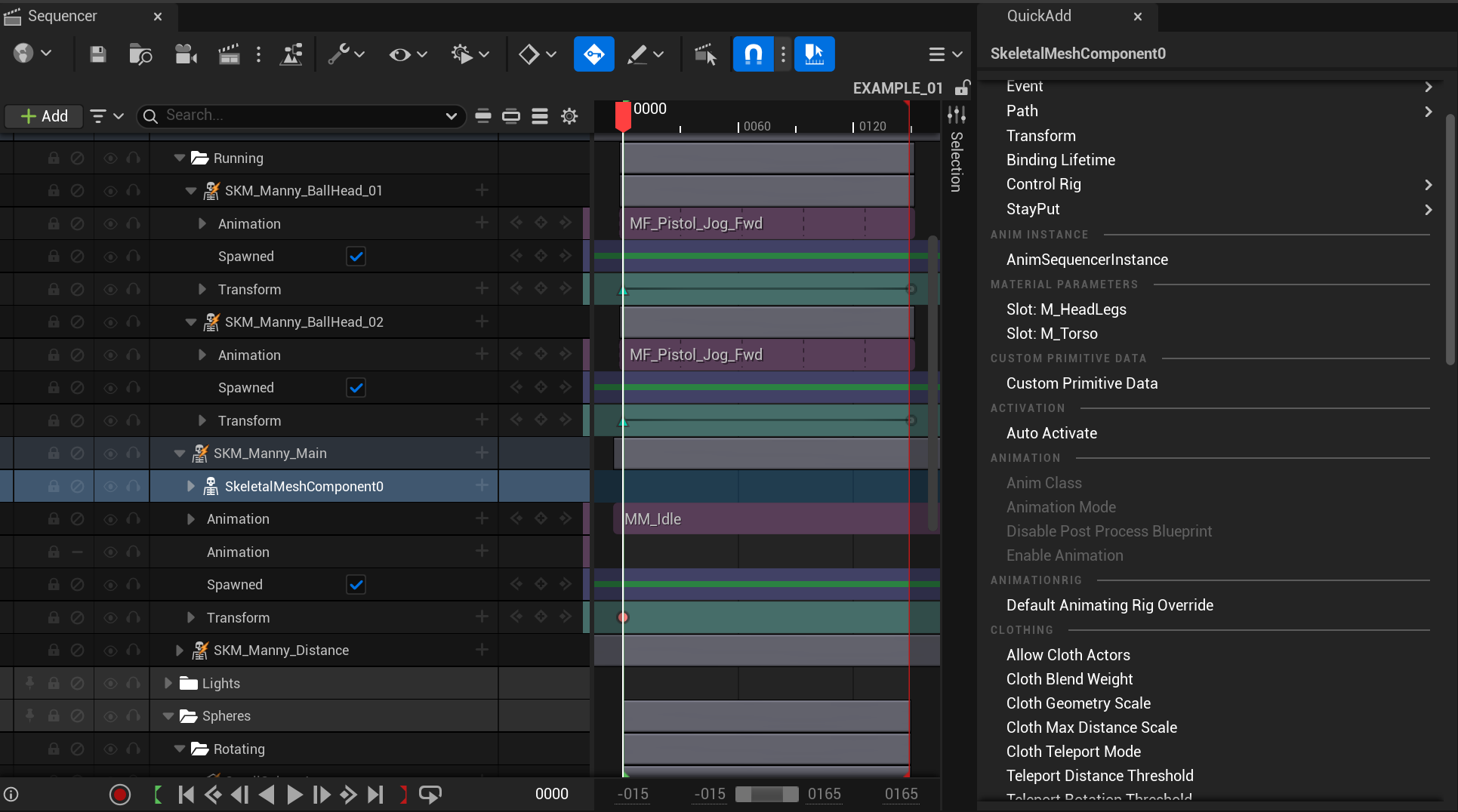
QuickAdd - Sequencer Property Panel
Add tracks and properties without the menu closing.
Sequencer's built-in "+" menu closes after every selection. Adding ten material parameter overrides means clicking the button, navigating the menu, selecting one, and repeating nine more times. QuickAdd keeps the menu open in a persistent panel beside Sequencer. Tick what you want, and it's added. The list updates live as you go.
How it works. Select any actor, component, or track in Sequencer. QuickAdd shows every property and track available for that selection. The exact same list you'd see in the native menu. Tick one, tick five, tick twenty. They're added as you go. Already-added properties are dimmed so you always know what's left.
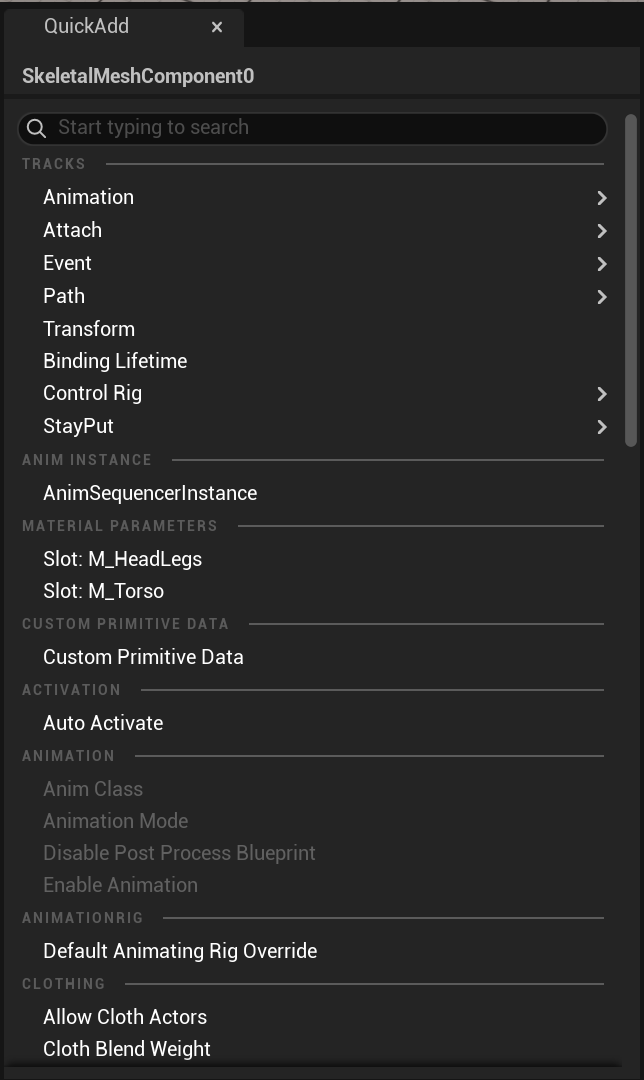
Property & Track Browser
Select an actor or component binding and browse every addable property, organised by category with search. The same content as the native "+" menu, but persistent.
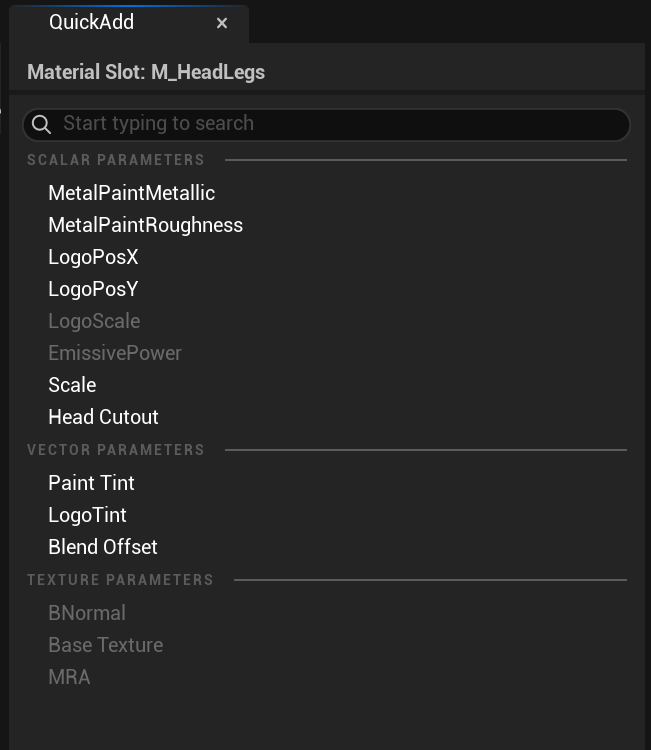
Material Parameters
Select a material track and see every scalar, vector, and texture parameter laid out by type. Already-added parameters are dimmed. Click to add. The menu stays open.
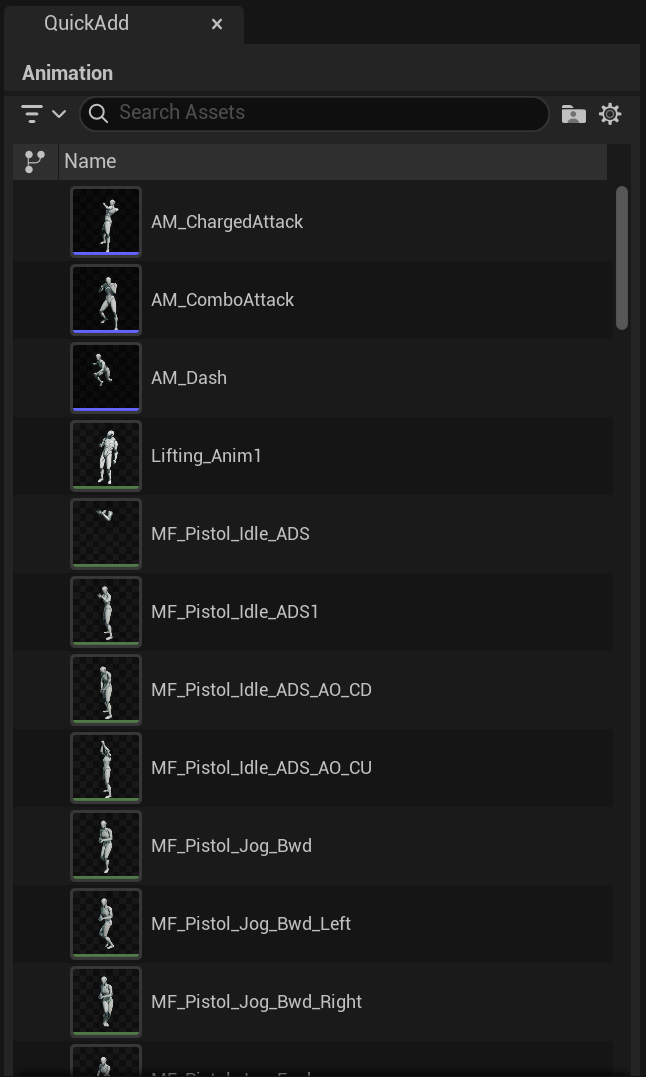
Animation Picker
Select a skeletal mesh binding and browse animation assets filtered to the correct skeleton, with thumbnails. Pick an animation without a popup disappearing on you.
Always in sync.
Add a parameter and it immediately dims in the list. Remove a track in Sequencer and it reappears as available. The panel reads live from the sequence. No refresh button, no stale data.
Matches the native menu exactly.
QuickAdd doesn't build its own property list. It pulls directly from Sequencer's own menu system, so custom track types from other plugins show up automatically. If the native "+" menu would show it, QuickAdd shows it.
Built-in search.
Start typing to filter the property list. Find the parameter you need without scrolling through categories.
Typical Uses
Add a dozen material parameter overrides to a character in seconds.
Browse and add camera properties from a persistent, searchable list.
Pick animations from a visual browser that doesn't close after each selection.
Quickly set up a new actor binding with all the tracks you need in one pass.
Technical Details
Engine: UE 5.4 - 5.7
Platform: Windows, Mac, Linux
Format: Pure C++ editor plugin, no runtime dependencies
Builds: Not included in packaged builds (Editor-only)
Source: Full C++ source included